You can try DirecTV Stream free for five days and check out the service without committing right away. If you decide to keep your subscription and don’t cancel before the trial ends, you’ll get $35 off your first month.
This deal applies to the entertainment, choice, and ultimate packages. It’s a great way to explore live TV, local channels, and on-demand shows before fully diving in.
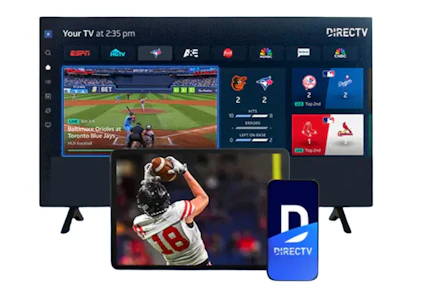

Download the KCL app to add and redeem coupons in store


For iOS and Android users.
Get all the new deals and savings hacks straight to your inbox
Will be used in accordance with our Privacy Policy

Here's how to get the deal:
-
Go to the DirecTV Stream website.
-
Click on the yellow "Start Free Trial" button.
-
Click the blue "Try it Free" button on either the Entertainment, Choice, or Ultimate Plan.
-
Review your package and select any add-ons that you want. Then click the blue "Continue" button.
-
Depending on your area, there may be other fees applied.
-
-
Add how many Gemini Air devices you want to connect ($10 a month for each device).
-
You can choose zero.
-
-
Click the blue "Start 5-Day Free Trial" button.
-
Enter your personal and payment information and click the blue "Complete Order" button.
What is DirecTV Stream?
DirecTV Stream is a live TV streaming service that lets you watch cable channels without a satellite dish or annual contract. It works over the internet and includes popular networks like ESPN, HGTV, CNN, and more, plus access to local channels. You can stream on smart TVs, phones, tablets, or with a streaming device, and there are different package options depending on what channels you want.
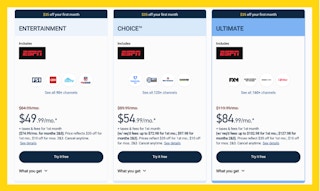
DirecTV Stream Packages:
The Fine Print:
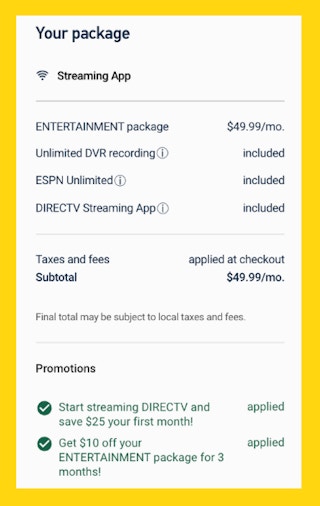
Bottom line cost: You’ll pay nothing for your first five days, then you’ll be charged based on the package you choose. For your first month, you can get the entertainment package for $49.99 (reg. $84.99), the choice package for $54.99 (reg. $89.99), or the ultimate package for $84.99 (reg. $119.99).
Just keep in mind that there can be other fees added depending on your area.
How do I cancel my subscription?
You can cancel before the end of your 5-day free trial to avoid additional charges. To cancel, sign in to your account online, navigate to "Manage My TV Subscription," and then select "Cancel My Service." Follow the on-screen prompts to complete the cancellation process. You can continue to access the service until the end of your current billing cycle.
Get deals before they’re gone — follow KCL on Telegram.
If you're not couponing yet, you're missing FREE. Download the KCL app now.