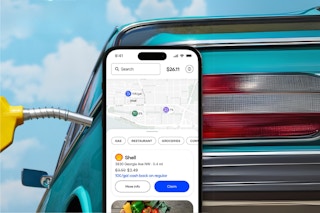
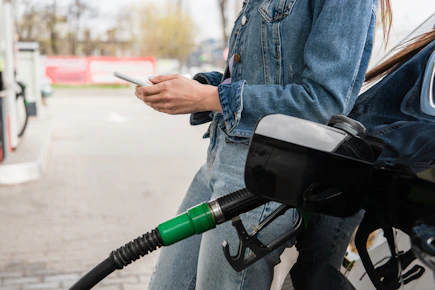
Upside is a free app that helps you earn cash back at participating gas stations. Just check the app before you fill up, then get cash back after your purchase!

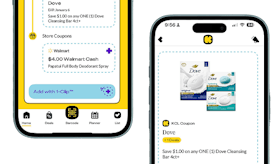
Download the KCL app to add and redeem coupons in store


For iOS and Android users.
Get all the new deals and savings hacks straight to your inbox
Will be used in accordance with our Privacy Policy

How to get the deal:
-
Follow this link and click "Get the App".
-
If you’re on a desktop, a QR code may appear—scan it with your phone to download the app.
-
-
Create your account using your email, or sign up with Google, Apple, or Facebook.
-
During signup, enter code 25CACTUS to get extra cash back on your first fill-up, that's in addition to what you can already get at participating gas stations in your area (you'll get up to an extra $0.25 back per gallon).
-
Choose your gas grade and create account.
-
Allow location access so the app can show nearby gas offers.
-
Link a debit or credit card to receive cash back:
-
Tap the menu (three lines) → Wallet → Add Payment Method.
-
-
Claim an offer in the app, head to a participating gas station, and pay using the linked card.
-
Tap "I’ve Paid" in the app. Your cash back and bonus should post within 2–4 days.
What is Upside?
Upside is a free cash back app that helps people earn extra cash back on everyday purchases like gas, groceries, and dining. Shop at participating locations to earn cash-back rewards, which can be redeemed for cash or gift cards.
The fine print:
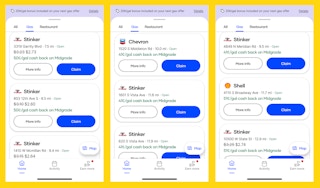
Bottom-line cost: The Upside app is free to download. You won’t pay anything more than what you normally would for gas. No payment is necessary to use the app or to receive your cash-back rewards.
How do I get my cash back? Once your gas purchase is confirmed by Upside, the cash-back reward will be credited to your account in the app. You can then redeem your cash-back rewards for cash or gift cards.
Get the best deals before they’re gone — follow KCL on Telegram. And if you're not couponing yet, you're missing out on FREE items. Download the KCL app now.