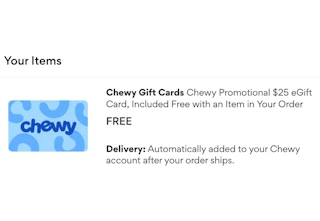
New to Chewy? Apply code WELCOME at checkout and you'll receive a $25 eGift card back on any Chewy order of $49 or more (free shipping included).
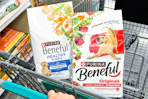
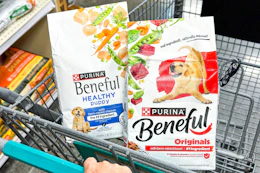
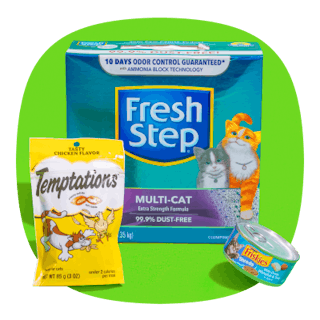
To put the savings into perspective, you could grab the Fancy Feast 72-can bundle on sale for $49.12. After your order ships, Chewy will send you the $25 eGift card, essentially bringing your out-of-pocket cost to $24.12. That works out to only $0.34 per can.
This smart bird feeder is another great shopping scenario. It's currently marked down to $49.99, and once the $25 eGift card is factored in, your effective cost is just $24.99. That's an impressive 84% discount off the original price of $159.99.

Download the KCL app to add and redeem coupons in store


For iOS and Android users.
Get all the new deals and savings hacks straight to your inbox
Will be used in accordance with our Privacy Policy

How to get the deal:
-
Visit Chewy's website to claim your offer.
-
Shop for toys, food, treats, and more — just make sure your first order totals $49 or more.
-
At checkout, apply the promo code WELCOME. You can also save even more by signing up for Autoship, which offers additional discounts on select items.
-
Your $25 eGift card will be automatically added to your Chewy account after your order ships.
What is Chewy?
Chewy is an online pet retailer that sells pet food, treats, toys, medications, and other supplies for dogs, cats, and other pets. The company is known for its wide selection of products, convenient home delivery, and autoship program, which allows customers to receive recurring shipments of pet essentials.
The fine print:
Bottom-line cost: Your final cost will depend on your order.
When will I be charged? You'll be charged when you place your order. If your order is a one-time purchase, you'll only be charged once. If you enroll in Chewy's Autoship program, you'll be charged again according to the delivery frequency you selected for your subscription.
How to cancel your subscription:
Log in to your Chewy account and select "Manage Autoship." Choose the specific autoship subscription you want to cancel. At the bottom of the page, select "Cancel Autoship." Confirm your cancellation by following the prompts.
Shop our favorite pet deals for even more great ways to save.
If you want access to more deals, download the KCL app now.