
Sign up for Paramount+ for just $0.99/month for the first two months — valid on both the Essential (ad-supported) and Premium (ad-free) plans.


Download the KCL app to add and redeem coupons in store
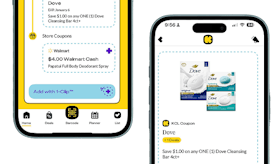


For iOS and Android users.
Get all the new deals and savings hacks straight to your inbox
Will be used in accordance with our Privacy Policy

Here's how to get the deal:
-
Head to the Paramount+ website and click “Get Started.”
-
Choose either the Essential or Premium plan, then click “Continue.”
-
Create your account by entering your info and setting a password. Click “Agree & Continue.”
-
Add your payment details and click “Start Paramount+” to activate your subscription.
You're all set — happy streaming!
What is Paramount+?
Paramount+ is a streaming service that offers a wide variety of content, including movies, TV shows, and original programming. It features content from Paramount Pictures, CBS, MTV, Nickelodeon, and more. The platform includes live sports, news, and a library of classic shows and films. Paramount+ is available via subscription and is accessible on various devices like smartphones, tablets, smart TVs, and computers.
The fine print:
Bottom line cost: $0.99 per month for your first two months. Then, you’ll be charged based on the subscription you chose. Paramount+ offers two plans, including Paramount+ Premium for $12.99 a month or Paramount+ Essential for $7.99 a month.
How do I cancel my subscription?
Paramount+ is a subscription service, so you'll need to cancel if you don't want to be charged or continue using the streaming service past the 7-day trial period. To cancel, head over to your account page on the site and click the button that says "Cancel Subscription."
Get deals before they’re gone — follow KCL on Telegram.