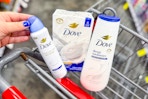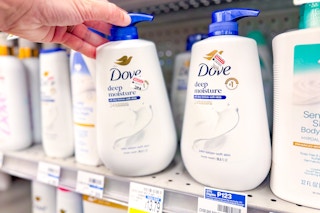
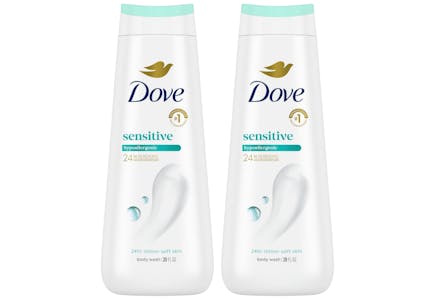
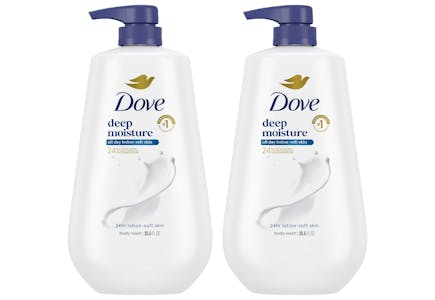
You can save $7 on Dove body washes at CVS this week using KCL Coupons. Here's how to score this deal:
-
Download the KCL app and sign up for a free account to access this coupon.
-
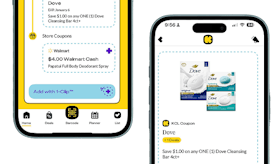
Clip the $2 Dove body wash KCL Coupon on the app home page, then select the barcode option at the bottom of the screen.
-
Make sure your coupon is toggled "On", then hit "Generate barcode" and scan the barcode at the register.
-
After scanning the coupon, enter your CVS ExtraCare phone number to earn $4 ExtraBucks back when you buy two products.
-
Submit your receipt to Fetch Rewards to claim $0.50 back per item. Keep in mind that Fetch Rewards offers can vary by account.
This is a great way to save if you're shopping for Dove at CVS and only want to purchase two items.

Download the KCL app to add and redeem coupons in store


For iOS and Android users.
Get all the new deals and savings hacks straight to your inbox
Will be used in accordance with our Privacy Policy

New to shopping CVS deals? Learn more about how to coupon at CVS and how to make the most of your CVS ExtraBucks Rewards.
Fetch Rewards is one of the more popular rebate apps in 2025. No clipping is necessary. Learn how to use Fetch Rewards with KCL's beginner's guide and start redeeming Fetch Rewards offers today.
Learn more about how to use the new KCL app and start saving smarter now.
Digital coupons may become unavailable at any time, so be sure to clip them right away to use through their expiration date. Some offers are personalized and may vary by account. Store sales and promotions can differ by region, so check your local ad or in-store sale tags to confirm availability in your area before shopping.
Want more ways to stay up-to-date with KCL deals? Download the KCL app now and follow KCL on Telegram.