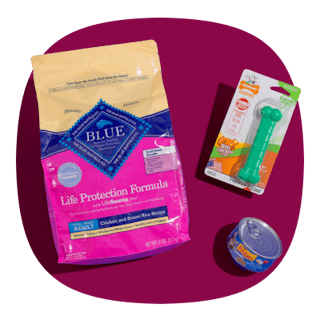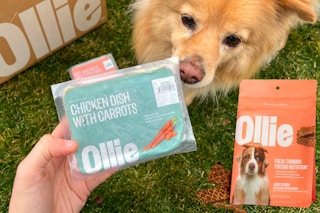
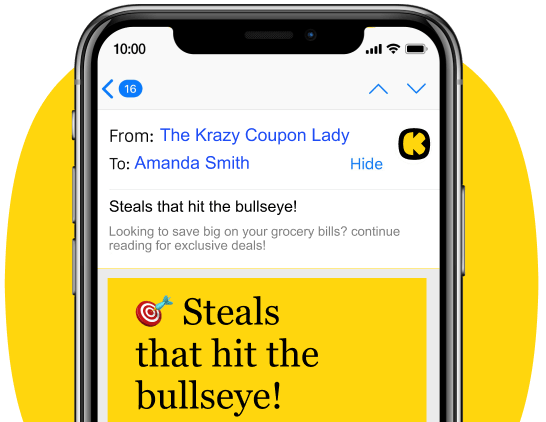
You only have a few days to score your first Ollie box for 70% off. Your delivery includes two weeks’ worth of fresh, vet-approved dog food, plus free Beef Jerky treats and a free ZippyPaws puzzle toy — and shipping is free, too.

Download the KCL app to add and redeem coupons in store


For iOS and Android users.
Get all the new deals and savings hacks straight to your inbox
Will be used in accordance with our Privacy Policy

How to get the deal:
-
Click this link to activate the promotion, and then click "Unlock 70%."
-
Enter your name and email address.
-
Answer a few questions about your pup — that'll help them with recommendations to ensure the correct portions for your dog.
-
Choose your plan: Full Fresh, Mixed Bowl, or Half Fresh. And select the recipes.
-
Enter your personal information and shipping address.
-
Enter your credit card information and click "Check Out" to submit your order.
What is Ollie?
Ollie is a fresh dog food subscription service that delivers human-grade, vet-approved meals made with real ingredients and no fillers or artificial preservatives. Recipes are gently cooked and personalized to your dog’s age, size, and activity level, then shipped right to your door on a flexible delivery schedule.
The fine print:
Bottom-line cost: The cost of your first Ollie box will vary based on factors like your dog’s age, size, and the plan you choose. The protein choice also affects the final price, with pork and beef being the most affordable options, while lamb is the most expensive.
For my mellow 20-pound dog, the Full Fresh plan totaled $23.31 for two weeks of fresh food. If you're on a tighter budget, the Mixed or Half Fresh plans offer great alternatives at a lower cost.
When will I be charged? Payments are processed immediately. For future orders, your account is charged three days before your package ships.
When will it ship? It'll depend on when you order, but the average time is three to five days after you place your order. Shipping is free.
Do I need to cancel? Yes, Ollie is a subscription service, so you'll need to cancel if you don't want to receive future shipments.
To cancel your subscription, make sure you're signed in to your account at MyOllie.com. Click on "My Info" in the upper left of the screen, and then scroll down and click on "My Subscriptions" to unsubscribe each dog by clicking "Cancel Subscription" on the right. You'll need to unsubscribe each dog individually if you have multiple dogs on your account.
Please note that canceling your subscription only prevents it from automatically renewing and doesn't cancel any orders that have already been placed.
Get the best deals before they’re gone — follow KCL on Telegram. And if you're not couponing yet, you're missing out on FREE items. Download the KCL app now.