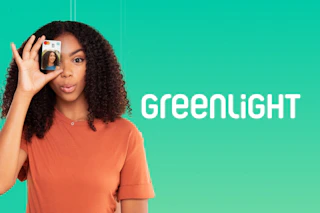
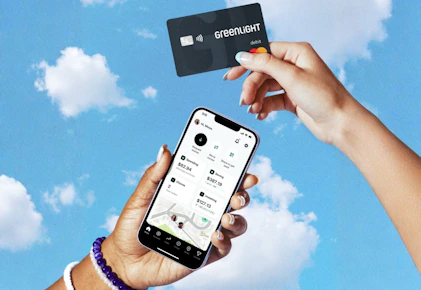
Sign up for Greenlight today and enjoy a free seven-day trial. Greenlight is a debit card for kids paired with a family finance and safety app. With the Greenlight debit card and app, parents can pay allowances, assign chores, and help their children learn how to earn, save, spend wisely, and invest.

Download the KCL app to add and redeem coupons in store
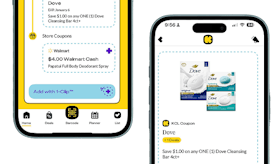


For iOS and Android users.
Get all the new deals and savings hacks straight to your inbox
Will be used in accordance with our Privacy Policy

How to get the deal:
-
Visit Greenlight's website to claim your offer.
-
Select your family role to sign up: "Parent or Guardian" or "Teen."
-
Enter your phone number to continue.
-
Confirm your role.
-
Enter the verification code sent to your phone number, then create your account using your email address and a password.
-
Enter some personal information about yourself and your child to complete your account setup.
-
Set up your wallet by adding a minimum of $10 to your account.
-
Follow the remaining prompts to finish setting up your account and download the Greenlight app.
You'll receive a seven-day free trial. If you choose to continue your subscription after the trial ends, you'll be charged $5.99 per month until you cancel.
What is Greenlight?
Greenlight is the money and safety app built with families in mind. Through Greenlight's debit card and app, parents can pay allowances, assign chores, and monitor spending, while teaching kids valuable money skills. The platform helps children learn how to earn, save, spend wisely, and invest, all with parental guidance and oversight.
The fine print:
How many kids can be on a single plan? You'll be able to add up to five children to your Greenlight plan.
Bottom-line cost: You'll need to add a minimum of $10 to your Greenlight Wallet to activate your account. Once your account is set up, you'll receive a free seven-day trial.
When will I be charged?: You'll be charged for the $10 wallet deposit right away. If those funds go unused, any remaining balance will be refunded when you close your account. After the seven-day free trial, you'll be charged $5.99 per month if you choose to continue your Greenlight subscription. Your subscription will remain active until you cancel it.
How to cancel your subscription:
To cancel your Greenlight account, you'll need to be the Primary Accountholder. Open the Greenlight app, tap the Settings gear icon in the top-right corner of your dashboard, select "Account," then scroll down and tap "Close account." Once the process is complete, you'll see a confirmation message stating that your account is inactive.
After your account is closed, your family's app and debit card access will end immediately, any investments will be sold at the current market price, and any remaining account balance will be refunded within 5–7 business days. If you need assistance, you can also contact Greenlight's support team for help with closing your account.
Get the hottest deals before they’re gone.
If you're not couponing yet, you're missing FREE deals. Download the KCL app now.