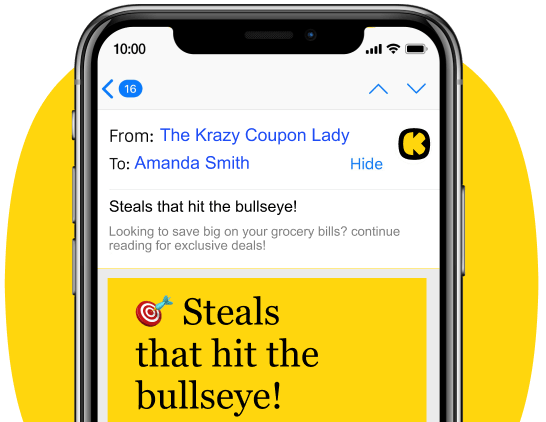
Get all the new deals and savings hacks straight to your inbox
Will be used in accordance with our Privacy Policy
PSA: If you didn’t know, CVS is one of the most beginner-friendly places to start couponing, which means you can start saving money, like, right now, on everything from personal care and beauty to snacks and cleaning supplies.
But before you start filling your cart, you’ve gotta know how the CVS reward system works. Master that, and you’ll use coupons like a total boss, and even score some freebies!
Couponing at CVS used to mean juggling multiple apps just to clip all your coupons and stack your savings. Not anymore, friend! Thanks to some awesome new features in The Krazy Coupon Lady (KCL) app, you can clip both manufacturer coupons and CVS store coupons in one place, often with a single, glorious tap.
This makes it ridiculously easy to stack coupons, CVS sales, and ExtraBucks offers for the Kraziest deals. We know it may sound tricky, but we make it simple.
Our experts have spent years perfecting how to shop and save at CVS. And in just three easy steps, we’re going to teach you how to use CVS coupons, earn ExtraBucks, and take advantage of every CVS deal like the savvy shopper you are!
1. Download The Krazy Coupon Lady app.
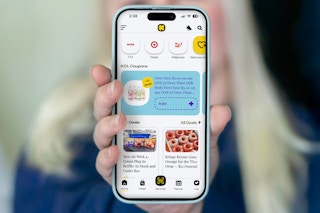
Our free Krazy Coupon Lady app is your secret weapon. It takes all the guesswork out of couponing and makes saving at CVS stupid simple.
Use it to check out the CVS weekly deal matchup, which we publish every Saturday. Our team combs through the entire CVS weekly ad to find the best deals and their matching coupons for you. You’ll also see our famous CVS deal breakdowns, which tell you exactly what to buy and which coupons to use, no confusing math needed.
Here's why the KCL app is your new best friend for CVS couponing:
-
KCL Coupons (Manufacturer Coupons): These are exclusive digital manufacturer coupons that you clip right in the KCL app. At checkout, just scan your KCL barcode to redeem them. You can stack these with CVS Store Coupons and ExtraBucks for maximum savings.
-
Store Coupons (CVS Digital Coupons): These are CVS-specific coupons like CVS app coupons and ExtraBucks offers. Once you learn how to link your CVS account to KCL, you can clip these straight from the KCL app, and they'll automatically be added to your CVS ExtraCare account.
-
1-Clip™ Deals: This is where the real magic happens. When you see the "Add with 1-Clip™" badge, one tap automatically clips both KCL Coupons and Store Coupons at the same time.
KCL TIP: You can still download the CVS mobile app and use it to search or scan products to find coupons, browse the weekly ad, see rewards you've earned, and create pickup and delivery orders.
2. Sign up for a free ExtraCare account.
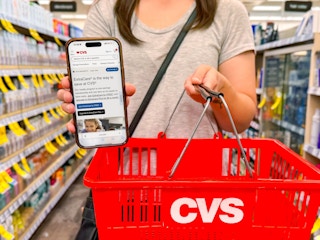
You'll definitely want to sign up for a free CVS ExtraCare account. Seriously, it’s a non-negotiable. An ExtraCare account is a must-have because it unlocks sale prices, digital coupons, pickup and delivery options, and 2% ExtraBucks rewards back on your purchases.
CVS ExtraCare membership has two tiers:
-
A free CVS ExtraCare membership that gives you access to sale prices, digital coupons, and rewards.
-
A paid CVS ExtraCare Plus membership for $5/month with extra benefits:
-
$10 ExtraBucks each month.
-
20% off CVS-branded items.
-
Free same-day delivery, same-day prescription delivery, and shipping on orders of $10 or more.
-
Is the paid membership worth it? If you pay the $5 a month for ExtraCare Plus, and you'll receive a $10 promo reward every single month, as long as you make at least one purchase at CVS . So if you shop at CVS at least once a month (and spend at least $10), then you need this program in your life. If you’re a casual CVS shopper, then we say skip it.
3. Link your CVS account to the KCL app.
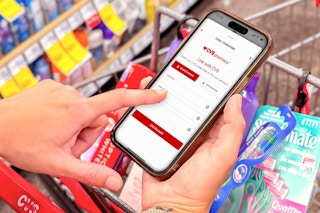
This is the real secret to effortless, awesome CVS couponing. Linking your CVS ExtraCare account to The Krazy Coupon Lady app is a one-time setup that takes about two minutes. You’ll thank us later.
Why linking matters:
-
Auto-clips Store Coupons straight to your CVS ExtraCare account, no extra clicking.
-
Enables 1-Clip™ Deals in one tap to add every coupon you need — both KCL Coupons and CVS Store Coupons — automatically.
How to link your account: It’s a breeze. Go to Profile → Settings in the KCL app, select "Link CVS Account," and enter your CVS ExtraCare login. Done.
For full step-by-step instructions with screenshots, see How to Link Your CVS Account to the KCL App.
Clipping Coupons in the KCL App
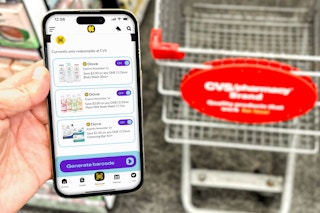
Now that you've downloaded the app and linked your CVS account, here's how easy couponing is inside the KCL app.
For Individual Coupons: Just browse the CVS deals we feature in the KCL app. When you find a coupon you want, just tap the "Add" button. KCL Coupons will clip right to your KCL app barcode, and CVS Store Coupons will automatically clip to your CVS ExtraCare account (because you were smart and linked it in Step 3!).
For 1-Clip™ Deals: Look for that glorious "Add with 1-Clip™" badge. Tap it once, and all the coupons you need for that deal — both manufacturer and store coupons — clip automatically. It's the fastest way to stack savings like a pro.
At Checkout: Ready for the big payoff?
-
First, scan your KCL barcode.
-
Then enter your CVS ExtraCare phone number.
Boom! All your coupons will apply automatically — KCL Coupons, Store Coupons, and ExtraBucks stack together for maximum savings. (If the barcode doesn't scan, the cashier can manually enter the numeric code shown below the barcode.)
For more details on exactly how to redeem your coupons at the register, see our guide to How to Use KCL Coupons at CVS.
CVS Coupons
Coupons are basically free money — they reduce the price of products so you can keep more cash in your wallet! To take advantage of the best deals, you need to add those online coupons to your CVS ExtraCare account to use at checkout. Again, if you're clipping coupons in the KCL app (which we highly recommend), your store coupons will be automatically added to your CVS ExtraCare account once you've linked your accounts. Easy!
If you prefer to clip coupons directly in the CVS app or website, just select the blue "Send to Card" button to load them to your ExtraCare account. A green checkmark will confirm they’ve been added. Then at checkout, enter your phone number or scan your ExtraCare card, and eligible coupons and sales will apply automatically.
ExtraBucks
ExtraBucks (EBs) are like CVS’s own store credit that you earn by taking advantage of certain promotions. They work just like both store coupons and cash at checkout, helping you slash your out-of-pocket cost.
You can use as many ExtraBucks in a transaction as you want! Just remember this key rule: ExtraBucks won't give you any change back. If your total is $4.50 and you use $5 ExtraBucks to pay, the remaining $0.50 is forfeited. Like coupons, ExtraBucks expire.
Ways to Earn ExtraBucks:
-
2% back on all your CVS purchases
-
Through Instacart or Shipt when your CVS account is linked to those apps
-
Buying items offered as part of weekly ad promotions
-
$3 birthday reward (Happy birthday, saver!).
-
Pharmacy credits by filling prescriptions or getting vaccinations
ExtraBucks can't be used for these things:
-
Alcohol
-
COVID-19 at-home test kits
-
Gift cards, lottery tickets, postage stamps
-
Prescriptions, money orders, taxes, fees
-
Prepaid cards
-
Milk and other locally restricted items
See the full CVS coupon policy for additional exclusions and terms.
Download the KCL app to add and redeem coupons in store
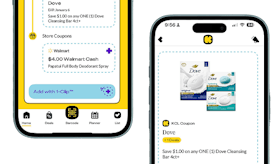


For iOS and Android users.
Get all the new deals and savings hacks straight to your inbox
Will be used in accordance with our Privacy Policy