Get all the new deals and savings hacks straight to your inbox
Will be used in accordance with our Privacy Policy
It should come as no surprise to you that we love coupons. I mean love them. And even if you already know how to get coupons , spotting the best coupons of the week can be tricky. We’re slinging coupons and making krazy deals with them all day in our emails and SMS messages (text COUPONS to 57299). Couponing can get you some of the best deals out there. If you’re a beginner and wondering how to coupon, this is an excellent place to start. Consider this your resource for the best of the best coupons.
The coupons we’ll share are typically available in a store’s app — think Target coupons or Walgreens offers — via a third-party app (think Ibotta ), or available to print at home.
Plus, we have exclusive KCL Coupons and new 1-Clip™ technology to make couponing even easier with the KCL app.
So bookmark this page and save yourself time searching through thousands of coupons every day. We’ll be updating this post each week with new coupons. And don’t forget to download The Krazy Coupon Lady app so you’ll have all the coupons at your fingertips no matter where you are.
If you’re not couponing yet, you’re missing FREE deals. Download the KCL app now .
KCL TIP: Check out all the available coupons in our Coupon Database.
New Coupons This Week
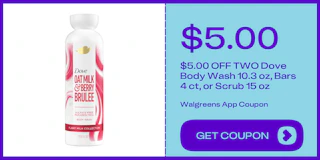
WALGREENS APP COUPON: Save $5 on Dove with a mobile coupon. See more body wash coupons.
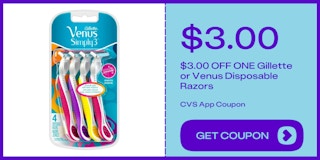
CVS APP COUPON: Save $3 on Gillette or Venus with a mobile coupon. See more razor coupons.
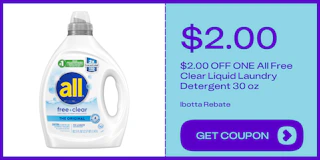
IBOTTA REBATE: Save $2 on All with a mobile rebate. See more laundry coupons.
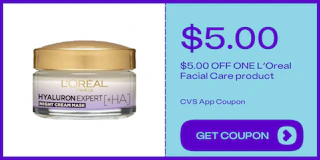
CVS APP COUPON: Save $5 on L'Oreal with a mobile coupon. See more lotion coupons.
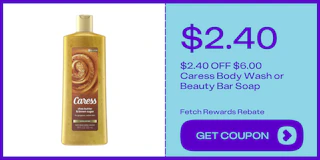
FETCH REWARDS REBATE: Save $2.40 on Caress with a mobile rebate. See more body wash coupons.
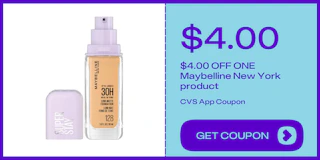
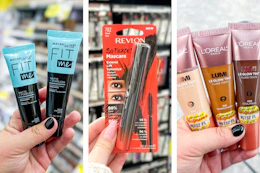
CVS APP COUPON: Save $4 on Maybelline New York with a mobile coupon. See more makeup coupons.
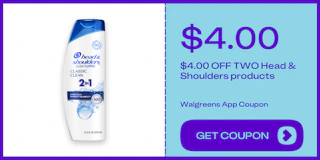
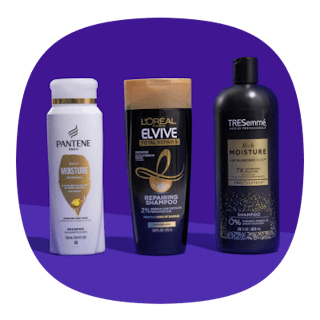
WALGREENS APP COUPON: Save $4 on Head & Shoulders with a mobile coupon. See more shampoo coupons.
Older Coupons That Are Still Available
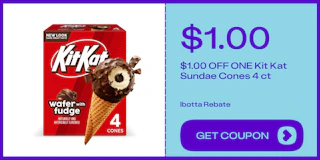
IBOTTA REBATE: Save $1 on KitKat with a mobile rebate. See more food coupons.
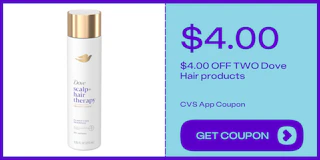
CVS APP COUPON: Save $4 on Dove with a mobile coupon. See more hair care coupons.
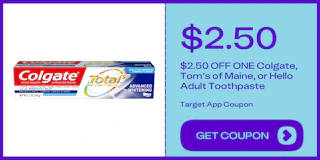
TARGET APP COUPON: Save $2.50 on toothpaste with a mobile coupon. See more oral care coupons.
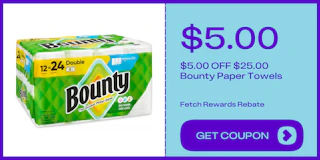
FETCH REWARDS REBATE: Save $5 on Bounty with a mobile rebate. See more household coupons.
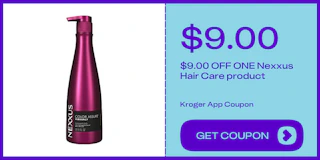
KROGER APP COUPON: Save $9 on Nexxus with a mobile coupon. See more shampoo coupons.
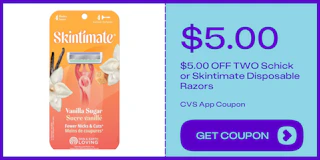
CVS APP COUPON: Save $5 on Schick or Skintimate with a mobile coupon. See more razor coupons.
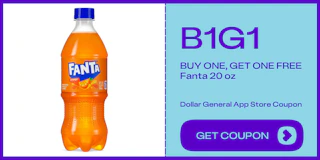
DOLLAR GENERAL APP STORE COUPON: Save on Fanta with a mobile coupon. See more soda coupons.
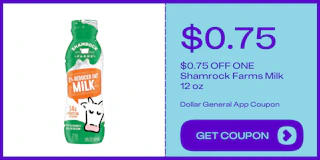
DOLLAR GENERAL APP COUPON: Save $0.75 on Shamrock Farms with a mobile coupon. See more beverage coupons.
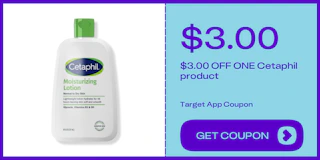
TARGET APP COUPON: Save $3 on Cetaphil with a mobile coupon. See more lotion coupons.
New KCL App Features That Make Couponing Even Easier
Here’s what we’ve added for you:
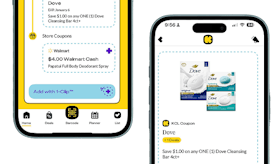
KCL Coupons: These are product-specific offers. Think deals like, "$2 off 1 Dove Body Wash." When you clip them in the app, they'll go to your KCL app barcode which you can scan at checkout. Right now, these KCL Coupons work at CVS, but expect other stores to start accepting them in the coming months.
Store Coupons: These are store-specific coupons. Think Target Circle offers or CVS ExtraBucks offers. Once you've linked your store loyalty accounts in the KCL app, clipping these coupons automatically sends them straight to your store account. So at checkout, when you enter your phone number, they'll be applied to your order. Which brings us to...
Linked Store Accounts: In our app, you can now link your store accounts in seconds. We explain step-by-step here. Once your store loyalty accounts are linked to our app, you can use the KCL app to clip store-specific coupons and offers.
1-Clip™ Deals: This is what ties it all together. In our app, you'll find deals with an "Add with 1-Clip™ badge. Tap that badge, and all the KCL Coupons and Store Coupons needed to get the deal will be applied. Done and done. Looking for 1-Clip™ Deals? Check out our roundup of the best ones this week.
How to Get Started
It just takes three steps to start couponing faster.
Step 1: Download or update the KCL app.
-
It all starts with our app. To get it, scan our QR code here or find us in the App Store or Google Play.
-
If you already have our app (you smart saver, you), make sure you have the latest version. This should happen automatically, but if it hasn't, you can update apps manually on your phone by going to the app store (for iOS or Android), tapping your profile icon, and then hitting "update" next to the KCL app.
Step 2: Link your store accounts.
-
This is a one-time setup process and takes about two minutes per store.
Step 3: Start saving.
-
Look for 1-Clip™ Deals.
-
Tap the 1-Clip™ badge to clip all the right coupons. KCL Coupons go to your KCL app barcode, while store offers go to your store account.
-
At checkout, scan the KCL app barcode (to apply the KCL Coupons) and provide your phone number (to apply the Store Coupons).
What are 1-Clip™ Deals?
Think of a 1-Clip™ Deal as your personal couponing assistant. It automatically clips all the coupons you need to get the lowest price on an item. Look for the "Add with 1-Clip™" badge in the KCL app.
These deals use Smart-Clip Coupon technology. Think of it as behind-the-scenes coupon magic. When you tap the "Add with 1-Clip™" button, Smart-Clip automatically sorts your coupons. KCL Coupons go to your KCL app barcode, and store coupons get added to your synced store account.
At checkout, you'll just scan your KCL barcode and enter your phone number. That's it!
Here's why this is a game-changer: Many of our editor-found deals require you to use multiple coupons together to get rock bottom prices. Before, you had to find and clip each coupon separately. Now, one tap clips everything you need automatically — no tracking, no extra steps, just savings.
3 Steps to Get Started With 1-Clip™ Deals
To start saving time and money with 1-Clip™ Deals, here are three easy steps to get started:
1. Get the KCL app. You'll need it to clip 1-Clip™ Deals.
2. Link your store accounts. Just start with a few (you can always add more later). Look for the"Connect Your Account" button.
3. Start clipping whenever you see the 1-Clip™ badge.
You May Also Be Interested In:
Download the KCL app to add and redeem coupons in store


For iOS and Android users.
Get all the new deals and savings hacks straight to your inbox
Will be used in accordance with our Privacy Policy