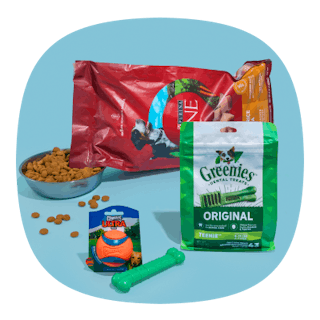
Get a $20 eGift card to use on your first Chewy order of $49 or more. The best part? You’ll also get free shipping. To claim this offer, new customers just need to use promo code WELCOME at checkout.
For example, you can get this Fancy Feast canned cat food bundle. It’s normally $69.12, but you’ll save 35% when you sign up for Autoship (up to $20 in savings). Then, with promo code WELCOME, you’ll receive a $20 eGift card and free shipping. After factoring in your gift card, you’re getting 72 cans of cat food for just $29.12, or about $0.40 per can.

Download the KCL app to add and redeem coupons in store


For iOS and Android users.
Get all the new deals and savings hacks straight to your inbox
Will be used in accordance with our Privacy Policy

How to get the deal:
-
Visit Chewy's website to claim your offer.
-
Shop for toys, food, treats, and more — just make sure your first order totals $49 or more.
-
At checkout, apply the promo code WELCOME. You can also save even more by signing up for Autoship, which offers additional discounts on select items.
-
Your $20 eGift card will be automatically added to your Chewy account after your order ships.
What is Chewy?
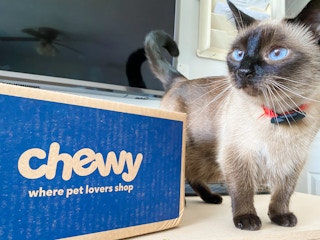
Chewy is an online pet retailer that sells pet food, treats, toys, medications, and other supplies for dogs, cats, and other pets. The company is known for its wide selection of products, convenient home delivery, and autoship program, which allows customers to receive recurring shipments of pet essentials.
The fine print:
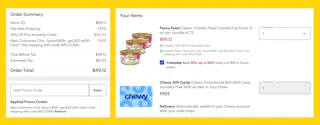
Bottom-line cost: Your final cost will depend on your order. For example, when I purchased the Fancy Feast canned cat food bundle, I paid $49.12 after the discounts but received a $20 eGift card when my order shipped. Factoring in the eGift card value, my final cost was just $29.12.
When will I be charged?: You'll be charged when you place your order. If your order is a one-time purchase, you'll only be charged once. If you enroll in Chewy's Autoship program, you'll be charged again according to the delivery frequency you selected for your subscription.
How to cancel your subscription:
Log in to your Chewy account and select "Manage Autoship." Choose the specific autoship subscription you want to cancel. At the bottom of the page, select "Cancel Autoship." Confirm your cancellation by following the prompts.
Shop our favorite pet deals for even more great ways to save.
If you're not couponing yet, you're missing FREE deals. Download the KCL app now.